# Document settings
> Manage document-specific settings like Libraries, fonts, and document type in Sketch’s Document Settings window.
**URL:** https://www.sketch.com/docs/interface-and-settings/document-settings/ | **Last updated:** 2026-04-07
---
The Document Settings window brings together document-specific settings and preferences, such as Document Libraries and embedded fonts, so you can manage everything in one place.
To open the Document Settings window, choose **File** > **Document Settings…** or press ⌘⇧,. From there, you can switch between the General, Embed Fonts, and Libraries settings for that document.
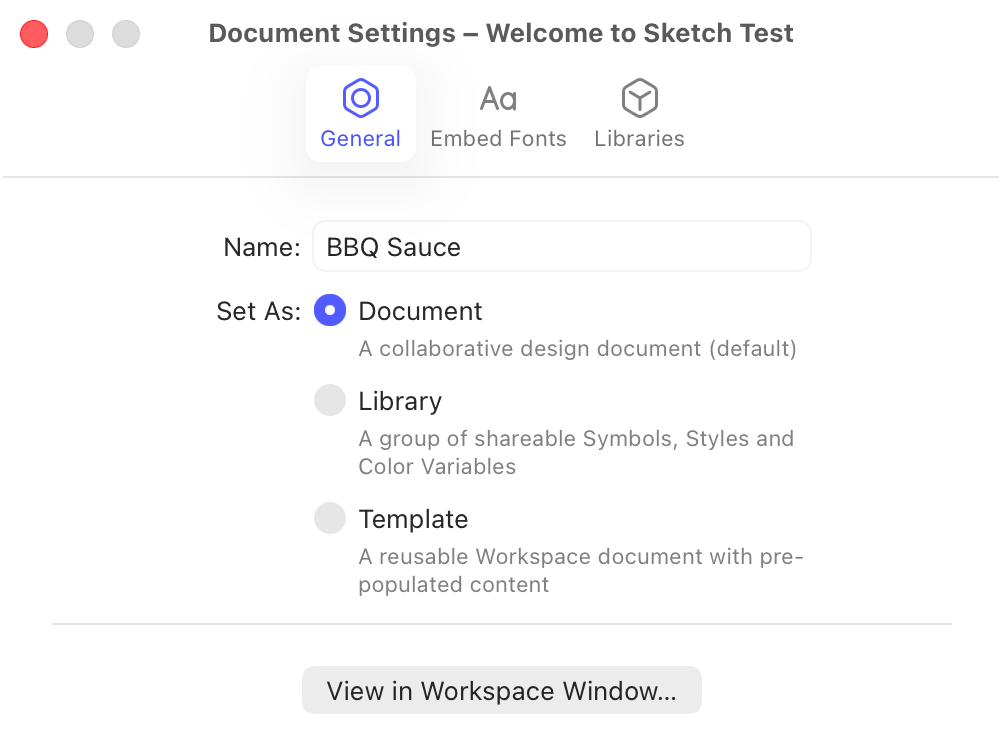
*The Document Settings window in the Mac app*
From the **General** tab in the Document Settings window, you can rename your document and change its document type. By default, a document is saved as a standard Sketch document. You can also convert it into a **Library**, making its Components reusable in other documents, or into a **Template**, which acts as a starting point for new designs.